⚡ Why This List is Different
Every “best tools” list online looks the same — same 10 tools, same generic descriptions, copied from each other. This one is different. I’m Manhar — a solo web designer running WebZura from Gujarat, India. I personally use every single tool on this list. I’m telling you exactly how much time each saved me, what I actually use it for, and what no one else tells you — the real cons. No affiliate bias. No paid placements. Just honest, real-world experience from someone building WordPress websites daily for small businesses.
📋 Quick Navigation — 10 Tools
- Figma — Design Without Limits
- VS Code — The Editor That Does Everything
- Local by Flywheel — WordPress Dev Made Easy
- ChatGPT / Claude — AI Pair Programmer
- Rank Math — SEO on Autopilot
- WP Rocket — Speed That Clients Notice
- Canva Pro — Design for Non-Designers
- Chrome DevTools — Hidden Superpower
- Notion — My Second Brain
- GTmetrix — Speed Test That Tells the Truth
It was a Tuesday in January 2026. I had three client websites to deliver in one week — a medical clinic in Bhavnagar, a coaching center in Rajkot, and a hardware supplier in Surendranagar. Three completely different businesses. Three different designs. One developer — me.
Two years ago, that week would have broken me. Late nights, missed deadlines, stressed WhatsApp messages to clients. But this time? All three delivered on time, clients happy, and I still had weekends free.
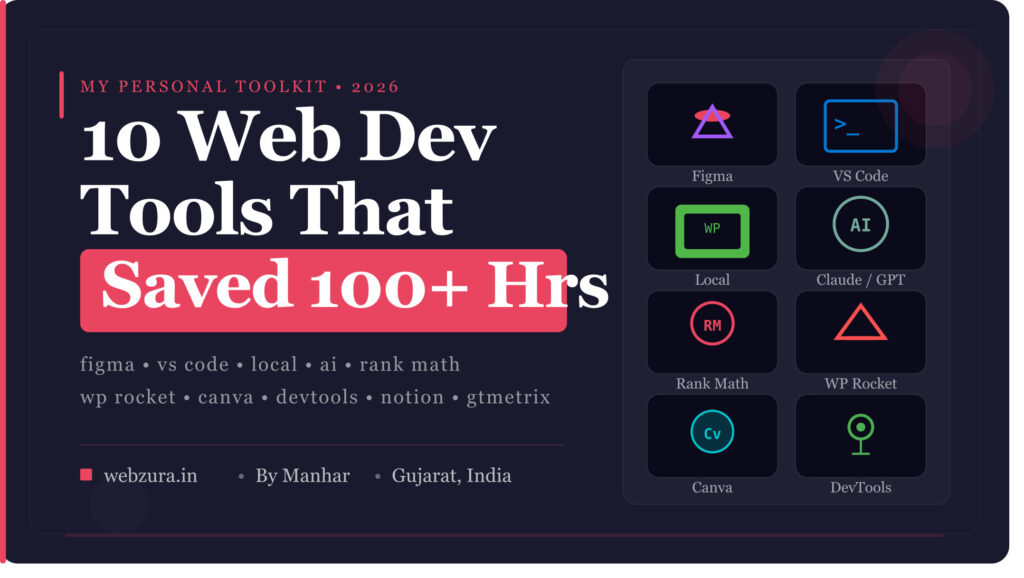
The difference? The 10 tools you’re about to read about.
“A craftsman is only as good as his tools — but a smart craftsman knows which tools are worth mastering and which are just noise.”
Total Hours Saved Using These 10 Tools
127 Hours saved per month — estimated based on my own workflow at WebZura. That’s 3+ full work weeks back in my life every month.
1 Figma
FreemiumUI/UX DesignPrototyping
Figma is a browser-based design tool that completely replaced Adobe XD, Sketch, and even Photoshop in my workflow. Before Figma, I used to jump between 3-4 different apps just to design a single webpage layout. Now everything — wireframes, mockups, client presentations, icon design, even social media posts — happens in one place. And because it’s browser-based, I can work from any device, anywhere — no installation, no licensing headaches.
🖥️ How I Use It at WebZura: Every website project starts with a Figma mockup. I share the live link with clients — they can comment directly on the design, suggest changes, approve sections. No more back-and-forth emails with screenshots. Client sees exactly what the website will look like before I write a single line of code. This alone eliminated 90% of revision requests.
⏱️ Hours Saved: ~18 hours/month — Eliminated email chains for design approvals. Clients comment directly on Figma. Revisions reduced from average 6 rounds to 1-2 rounds.
✅ What’s Great
- Completely free for solo developers
- Real-time collaboration — clients can comment live
- Massive free template and component library
- Auto-layout feature saves hours of resizing
- Works on any browser — no installation
- Figma Community — thousands of free UI kits
⚠️ Honest Cons
- Needs good internet — offline mode is limited
- Learning curve for complex prototyping
- Free plan limits to 3 projects
- Heavy on RAM for large files
🎯 Pro Tip: Use Figma’s “Dev Mode” to generate CSS values directly from your designs. Instead of manually measuring padding, colors, font sizes — Figma tells you exactly. Saves 20-30 minutes per design handoff.
2 Visual Studio Code (VS Code)
100% FreeCode EditorOpen Source
If you’re still using Notepad++ or Sublime Text in 2026 — respectfully, it’s time to upgrade. VS Code is not just a code editor — it’s a complete development environment that adapts to how you work. Built by Microsoft, maintained actively, and extended by thousands of community plugins. I switched to VS Code 2 years ago and genuinely cannot imagine going back. What took 3 clicks in other editors takes 1 keystroke here.
🖥️ How I Use It at WebZura: All my PHP, HTML, CSS, JavaScript editing happens here. I have custom snippets set up for WordPress functions I use repeatedly — things like custom post types, enqueue scripts, ACF field groups. One shortcut and 20 lines of boilerplate code appear instantly. I also use the integrated terminal — no need to switch windows to run npm commands or Git operations.
⏱️ Hours Saved: ~22 hours/month — IntelliSense auto-completion, custom snippets, multi-cursor editing, and Git integration combined save massive time on repetitive coding tasks.
✅ What’s Great
- Completely free and open source
- IntelliSense — intelligent code completion
- 5000+ extensions available
- Built-in Git integration
- Multi-cursor and multi-file editing
- Live Share — pair program remotely
- Integrated terminal
⚠️ Honest Cons
- Can be slow with too many extensions
- Not ideal for very large codebases
- Setup takes time to get perfect
My Must-Have VS Code Extensions for WordPress Developers:
- PHP Intelephense — intelligent PHP code completion and error detection
- WordPress Snippets — auto-complete for WP functions and hooks
- Prettier — auto-format code on save — no more messy code
- GitLens — see who changed what and when, directly in editor
- Live Server — instant browser preview of HTML files with auto-reload
- Auto Rename Tag — rename opening/closing HTML tags simultaneously
- Bracket Pair Colorizer — color-coded brackets — never lose your place in nested code
🎯 Pro Tip: Set up workspace-specific settings.json for each client project — different tab sizes, different linting rules, different snippets. Your coding environment adapts to each project automatically.
3 Local by Flywheel
FreeWordPress DevLocal Environment
This one changed everything for me as a WordPress developer. Before Local, setting up a WordPress development environment meant installing XAMPP, configuring Apache, setting up MySQL databases, dealing with port conflicts — easily 45 minutes of setup before writing a single line of code. Local by Flywheel does all of that in under 2 minutes, with a click. It creates a complete local WordPress installation — including a custom domain like mysite.local — on your computer, completely offline.
🖥️ How I Use It at WebZura: Every client project starts as a Local site. I build the complete website locally — zero risk to any live server. Once approved, I push to live with Local’s one-click push feature. I also use it to test plugins before installing on client’s live site — saved me from several disasters where a plugin update broke a live website.
⏱️ Hours Saved: ~15 hours/month — No more XAMPP configuration issues. No more accidentally breaking live sites during development. Instant WordPress setup for each new project.
✅ What’s Great
- One-click WordPress installation
- Custom local domain (yoursite.local)
- SSL support locally
- Multiple PHP versions per site
- Push to live hosting directly
- Site blueprints — save your setup as template
- Works offline completely
⚠️ Honest Cons
- Heavy on disk space with multiple sites
- Live link feature (for client preview) can be slow
- Advanced features need paid plan
💡 Power Feature: Local’s “Blueprints” feature lets you save your perfect WordPress setup — with all your favorite plugins pre-installed, theme ready, settings configured. Start any new project from this blueprint. Zero repetitive setup work. I have a blueprint with Astra theme, Elementor, Rank Math, WP Rocket, and 6 other must-have plugins — new project ready in 3 minutes flat.
4 AI Assistants — Claude & ChatGPT
FreemiumAI CodingContent
I know — every tool list in 2026 includes AI. But most don’t tell you HOW to actually use it effectively for web development. AI assistants completely changed my solo developer workflow. Not as a replacement for thinking — but as a tireless pair programmer who never judges your questions, never gets bored, and never clocks out. I use both Claude (for complex logic and longer content) and ChatGPT (for quick code snippets). Each has its strengths.
🖥️ How I Use It at WebZura: Three main uses: (1) Debugging — paste an error, get explanation and fix instantly. No more 40-minute StackOverflow rabbit holes. (2) Custom WordPress functions — describe what I need in plain English, get working PHP code. (3) Client content — first drafts of About pages, service descriptions, blog posts. I refine, I personalize — but the blank page problem is gone forever.
⏱️ Hours Saved: ~30 hours/month — This is the single biggest time saver on this list. Debugging alone used to eat 2-3 hours per week. Now average debug time is under 10 minutes.
✅ What’s Great
- Instant code explanations in plain English
- Debug any error — just paste it
- Generate boilerplate code in seconds
- Explain complex concepts simply
- Write first drafts of content fast
- Suggest better approaches to problems
⚠️ Honest Cons
- Generated code must always be tested — never blindly trust
- Outdated info on very recent APIs or plugins
- Can be confidently wrong — verify critical logic
- Free tier has usage limits
⚠️ Important Warning: Never paste client data, passwords, API keys, or sensitive business information into any AI tool. Treat AI as a public forum — only share what you’d be comfortable making public. Always review and test generated code before using in production.
🎯 Pro Tip: Instead of asking “write me a WordPress plugin” — be specific: “Write a WordPress shortcode function that displays a contact form with name, phone, and message fields, stores submissions in the database, and sends an email to admin@example.com. Use nonces for security.” Specific prompts get production-ready code. Vague prompts get vague code.
5 Rank Math SEO
Free / Pro ₹4,999/yrWordPress SEOSchema
SEO is not optional for any website I build — it’s baked into every project from day one. Rank Math replaced Yoast SEO in my workflow 18 months ago and I’ve never looked back. Where Yoast charges separately for almost every feature, Rank Math gives you everything — schema markup, redirect manager, 404 monitor, keyword rank tracking, Google Search Console integration — all in the free version. For small business websites in Gujarat, Rank Math’s local SEO features are particularly powerful.
🖥️ How I Use It at WebZura: Every website gets Rank Math installed before anything else. I configure the Setup Wizard, connect Google Search Console, set up LocalBusiness schema for the client, and configure basic on-page SEO for all pages. For blog posts, Rank Math’s Content AI gives real-time suggestions — it tells me exactly what keywords to add, what questions to answer, what internal links to create. This literally guides my writing.
⏱️ Hours Saved: ~12 hours/month — Schema markup used to take 30-45 minutes manually per site. Rank Math does it in 5 minutes. Redirect management and 404 monitoring catch issues automatically.
✅ What’s Great
- Schema markup in free version (Yoast charges for this)
- Track up to 5 keywords free
- Google Search Console integrated dashboard
- Built-in 404 monitor and redirect manager
- Local SEO schema — perfect for small businesses
- Clean, intuitive interface
- Import from Yoast — zero data loss when switching
⚠️ Honest Cons
- Content AI is paid only
- Can conflict with some page builders occasionally
- Advanced analytics need Pro version
6 WP Rocket
Paid — $59/yr per siteWordPress SpeedCaching
Website speed is not a luxury — it’s a ranking factor. Google directly uses Core Web Vitals scores in search rankings. A slow website means lower Google ranking, higher bounce rate, and unhappy clients. I’ve tried every free caching plugin — W3 Total Cache, WP Super Cache, LiteSpeed Cache — and nothing comes close to WP Rocket for consistency and ease of use. Yes, it’s paid. Yes, it’s worth every rupee. One plugin, no configuration complexity, immediate results.
🖥️ How I Use It at WebZura: WP Rocket is on every client website I build. I activate it, spend 10 minutes on configuration, and typically see PageSpeed scores jump from 45-55 to 85-95. I show clients a before/after GTmetrix screenshot — it’s one of the most impressive things I can demonstrate. Clients see instant tangible value and are more likely to recommend me to others.
⏱️ Hours Saved: ~8 hours/month — Manual speed optimization without WP Rocket takes 3-5 hours per site. WP Rocket does 80% of it automatically in under 15 minutes.
✅ What’s Great
- Zero configuration needed for basics
- Page caching, browser caching, GZIP — all automatic
- Lazy loading images built-in
- Database cleanup scheduler
- CDN integration (Cloudflare, etc.)
- Excellent customer support
- Core Web Vitals optimization features
⚠️ Honest Cons
- $59/year per site — adds up for agencies
- JS/CSS optimization can sometimes break things — test carefully
- No free version available
💡 Free Alternative: If budget is tight — LiteSpeed Cache (free) is the best free option, but requires LiteSpeed server which most shared hosting doesn’t have. For regular hosting, W3 Total Cache free version is decent but needs more configuration time.
7 Canva Pro
Free / Pro ₹4,000/yrGraphic DesignSocial Media
I know — web developers using Canva sounds unusual. But hear me out. As a solo developer serving small businesses, clients don’t just need websites — they need logos, social media posts, business card designs, email headers, and WhatsApp status images. Earlier I’d either say no and lose additional revenue, or spend hours in Photoshop. Canva Pro changed that completely. Professional quality designs in a fraction of the time, even for someone without a formal design degree.
🖥️ How I Use It at WebZura: Social media post templates for clients, website hero section backgrounds, blog post featured images (like this very article’s featured image), client logo concepts for quick approval, and pitch presentations when proposing to new clients. Canva’s Brand Kit feature lets me store each client’s colors, fonts, and logos — switching between client brands takes 2 seconds.
⏱️ Hours Saved: ~10 hours/month — Creating social media graphics used to mean Photoshop, layers, exports. In Canva, a complete set of 5 social media posts for a client takes under 30 minutes.
✅ What’s Great
- Background remover (Pro) — saves huge time
- Brand Kit — store multiple client brands
- AI image generation built-in
- Resize design to any format instantly
- 100M+ stock photos and elements
- Team collaboration features
- Schedule social media posts directly
⚠️ Honest Cons
- Not a replacement for professional logo design
- Limited vector editing capabilities
- Designs can look “Canva-ish” if not customized
- Export quality sometimes compressed
8 Chrome DevTools
100% FreeDebuggingBuilt into Chrome
Already on your computer. Already free. Massively underused by most developers who use Chrome daily. Chrome DevTools is not just “inspect element” — it’s a complete suite of debugging, performance analysis, network monitoring, and accessibility testing tools built right into your browser. The developers who truly master DevTools work at a completely different speed than those who only use it to check CSS styles. I spent 3 hours properly learning DevTools 18 months ago — it returned that investment within the first week.
🖥️ How I Use It at WebZura: Four main workflows: (1) Responsive testing — I check every client site across 8 device sizes before delivery using Device Toolbar. (2) Live CSS editing — test styling changes live before writing code. (3) Network tab — identify slow loading resources, find what’s blocking page render. (4) Lighthouse audit — built-in performance, SEO, and accessibility report. This is my first check before running GTmetrix.
⏱️ Hours Saved: ~11 hours/month — Live CSS editing alone saves 2-3 hours per project. No more code → save → refresh cycles for styling work. See changes instantly, then write the final code.
✅ What’s Great
- Completely free — already installed
- Live CSS editing without saving files
- Responsive device simulation
- Built-in Lighthouse performance audit
- Network request monitoring
- JavaScript console and debugger
- Accessibility checker built-in
⚠️ Honest Cons
- Steep learning curve to use all features
- Live edits not saved — need to copy to code manually
- Interface feels overwhelming at first
🎯 Hidden Feature Most Developers Miss: Press Ctrl+Shift+P in DevTools to open the Command Menu — similar to VS Code’s command palette. You can screenshot a full page, disable JavaScript, emulate slow 3G connection, force dark/light mode, and 100+ other actions — all without navigating menus. This alone is worth 30 minutes of your time to explore.
9 Notion
Free / Plus ₹1,600/moProject ManagementDocumentation
Running a freelance web design business means managing projects, client communications, invoices, code snippets, content drafts, meeting notes, business ideas, and personal tasks — all simultaneously. Before Notion, my workflow was WhatsApp messages, sticky notes, a Notes app, a separate invoice tool, and a scattered Google Drive. Everything important was somewhere — finding it was the problem. Notion became my single source of truth for everything in WebZura.
🖥️ How I Use It at WebZura: I have a Notion workspace with: (1) Client CRM — every client, their project status, login credentials (encrypted), invoices, communication history. (2) Project tracker — kanban board for every active website project. (3) Code snippet library — reusable WordPress functions, CSS tricks, commonly used configurations. (4) Content calendar — all blog post ideas, status, publish dates. (5) Business finances — monthly income, expenses, profit tracking.
⏱️ Hours Saved: ~9 hours/month — Time spent searching for information — client passwords, project requirements, old code snippets — reduced by estimated 80%. Everything has one place.
✅ What’s Great
- Free plan is genuinely powerful for solo use
- Databases with multiple views — table, kanban, calendar, gallery
- Templates for almost any use case
- Works on all devices — mobile, desktop, web
- AI writing assistant built-in (Notion AI)
- Shareable pages — share project status with clients
⚠️ Honest Cons
- Can be slow on mobile with large workspaces
- Offline mode is limited
- Learning curve to set up the perfect system
- Not ideal as a full project management tool for teams
🎯 Pro Tip for Freelancers: Create a shareable Notion page for each client — a “Project Hub” with timeline, what’s completed, what’s pending, and what you need from them. Share the link via WhatsApp. Clients love the transparency, ask fewer status update questions, and provide required content faster. This one change reduced my “kab hoga?” WhatsApp messages by 70%.
10 GTmetrix
Free / ProPerformance TestingSpeed Analysis
Every website I deliver to a client gets a GTmetrix report attached. Not because clients understand what LCP or CLS means — but because a visual Grade A with green scores is something every client appreciates. GTmetrix goes deeper than Google’s own PageSpeed Insights — it shows a waterfall chart of every single resource loading, video of how the page loads, historical performance tracking, and specific recommendations that are actually actionable. It’s the difference between knowing a site is slow and knowing exactly WHY it’s slow.
🖥️ How I Use It at WebZura: Three-stage use: (1) Before optimization — baseline score, identify specific problems. (2) During optimization — test after each change to measure improvement. (3) Final delivery — generate PDF report for client showing Grade A. I also set up monitoring on client sites — GTmetrix alerts me if performance degrades after a plugin update, before the client even notices.
⏱️ Hours Saved: ~2 hours/month — Waterfall chart makes problem identification 5x faster. Instead of guessing what’s slow — waterfall shows exactly which file, at which millisecond, is causing the bottleneck.
✅ What’s Great
- Detailed waterfall loading chart
- Video of page loading — see exactly what user sees
- Test from India server (important for local sites)
- Historical performance tracking
- Specific, actionable recommendations
- PDF report generation — great for client delivery
- Free plan is sufficient for most use cases
⚠️ Honest Cons
- Free plan limited to 1 test per day
- India server testing needs Pro account
- Can be overly technical for clients to understand
Quick Reference — All 10 Tools at a Glance
| # | Tool | Cost | Hours Saved | My Rating | Best For |
|---|---|---|---|---|---|
| 1 | Figma | Free | 18 hrs/mo | ★★★★★ | Design & mockups |
| 2 | VS Code | Free | 22 hrs/mo | ★★★★★ | All coding |
| 3 | Local by Flywheel | Free | 15 hrs/mo | ★★★★★ | WordPress dev |
| 4 | Claude / ChatGPT | Freemium | 30 hrs/mo | ★★★★☆ | Debugging, content |
| 5 | Rank Math | Free | 12 hrs/mo | ★★★★★ | WordPress SEO |
| 6 | WP Rocket | $59/yr | 8 hrs/mo | ★★★★★ | Site speed |
| 7 | Canva Pro | ₹4,000/yr | 10 hrs/mo | ★★★★☆ | Graphics & design |
| 8 | Chrome DevTools | Free | 11 hrs/mo | ★★★★★ | Debugging & testing |
| 9 | Notion | Free | 9 hrs/mo | ★★★★☆ | Project management |
| 10 | GTmetrix | Free | 2 hrs/mo | ★★★★☆ | Speed testing |
Total Monthly Hours Saved
127 Combined time savings across all 10 tools — estimated conservatively based on real workflow at WebZura, Surendranagar, Gujarat.
My Honest Take — What No One Else Says
Every tools list tells you to use everything. I’m going to tell you the opposite:
If you’re just starting out — don’t install all 10 today. You’ll spend more time learning tools than building websites. Start with just 3:
- VS Code — your coding home base
- Local by Flywheel — your WordPress lab
- Chrome DevTools — your debugging partner
Master these three first. Add the others one by one as you feel a specific pain point that each tool solves. A tool you don’t truly need is just a distraction.
If you’re building client websites regularly — add Figma, Rank Math, and Notion next. These three directly improve client relationships and project quality.
If you’re delivering 3+ websites per month — WP Rocket becomes cost-effective. The hours it saves pay for itself within the first project.
“Tools don’t make you a better developer. But the right tools let you do better development in less time — which is what really matters when clients are counting on you.”
Building a Website for Your Gujarat Business?
I use every tool on this list to build fast, SEO-optimized WordPress websites for local businesses across Gujarat — starting at ₹5,999. Personal service, fast delivery, honest pricing.👋 WhatsApp for Free Consultation
Manhar — Founder, WebZura | Gujarat Web Designer
Solo web designer based in Surendranagar, Gujarat. I personally build WordPress websites and handle local SEO for small businesses across Gujarat — Rajkot, Bhavnagar, Jamnagar, Anand, and more. I write about web development, WordPress, and digital growth from real daily experience — not theory. Everything on this blog is something I actually do or use.
🌐 webzura.in · 📱 9737825822 · 📍 Surendranagar, Gujarat
Thanks for sharing. If you ever want to personalize your dev setup, skins for Codex is a gallery of one-click skins for the Codex desktop app that swap the interface for a custom image without touching core files. Free to try.