Website speed is no longer just a technical metric hidden inside developer dashboards. It directly impacts user experience, SEO rankings, conversions, and business growth. Recent studies show that the average website loads in about 1.9 seconds on mobile devices, while 53% of users leave a website if it takes longer than 3 seconds to load. Websites loading in around 1 second can achieve significantly higher conversion rates compared to websites loading in 5 seconds.
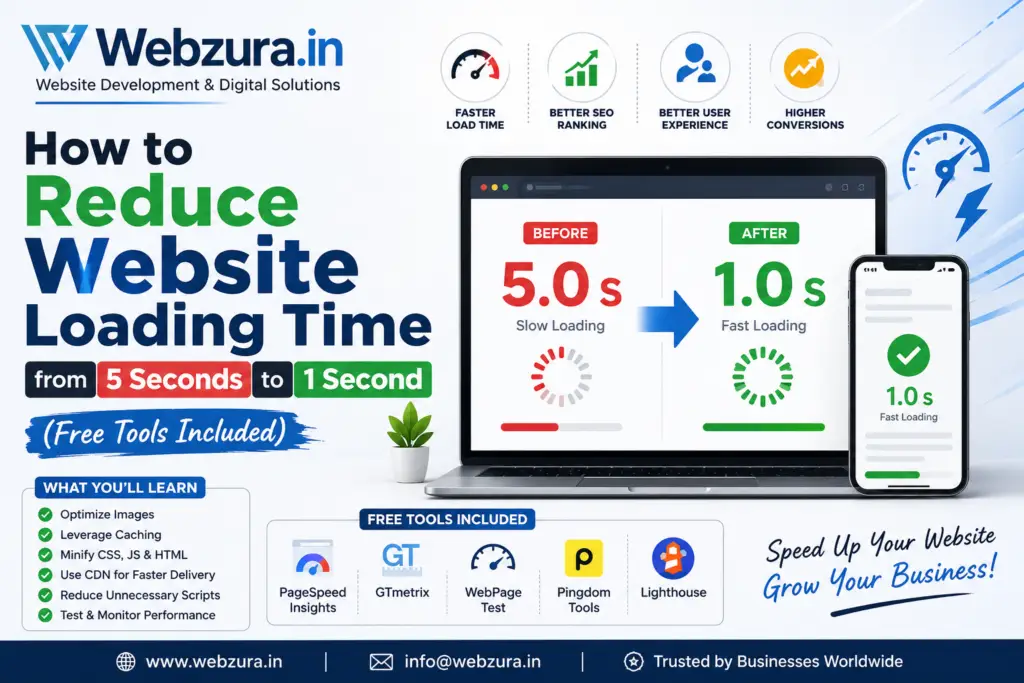
If your website currently takes 5 seconds to load, you’re losing visitors before they even see your content. The good news? Most websites can dramatically improve their loading speed without spending money on expensive software.
Why Website Speed Matters More Than Ever
Most website owners focus heavily on content, design, and marketing. While those areas are important, speed often determines whether visitors stay long enough to experience them. Imagine opening a shop where customers must wait five seconds before the door unlocks. Many people would simply walk away and visit the competitor next door.
Modern internet users expect websites to feel instant. Research shows that nearly half of smartphone users expect websites to load within two seconds, and conversion rates can drop significantly with every additional second of delay. Google also measures user experience through Core Web Vitals, which evaluate loading speed, responsiveness, and visual stability. Websites meeting these performance standards generally provide a better experience and can benefit from improved search visibility. (Kanuka Digital)
For business websites, speed isn’t just a technical improvement. It directly influences leads, sales, customer trust, and long-term growth. Whether you run a blog, WordPress website, eCommerce store, or service-based business website, reducing loading time from 5 seconds to 1 second can create a noticeable impact on results.
The Real Cost of a Slow Website
A slow website creates hidden losses that many business owners never measure. Visitors leave before reading content, completing forms, or making purchases. Search engines also recognize when users quickly abandon a page and may view the experience as unsatisfactory.
Every second matters because users compare your website against platforms like Google, YouTube, and major eCommerce stores. If your pages feel sluggish, users automatically perceive your brand as less professional and less trustworthy.
How Speed Impacts SEO and Revenue
Google’s Core Web Vitals focus on three major performance indicators:
| Metric | Good Score |
|---|---|
| LCP | Under 2.5 seconds |
| INP | Under 200ms |
| CLS | Under 0.1 |
These metrics help determine how quickly users see content, how responsive the page feels, and whether the layout remains stable during loading. (Ahrefs)
Understanding Modern Website Performance Metrics
Before fixing website speed, you must understand what Google actually measures.
Largest Contentful Paint (LCP)
LCP measures how quickly the largest visible content element appears on screen. This is usually a hero image, banner, or large heading. Google recommends keeping LCP below 2.5 seconds. Websites with slow hosting, unoptimized images, or excessive scripts often struggle with this metric. (Ahrefs)
Interaction to Next Paint (INP)
INP measures responsiveness. It tracks how quickly your website reacts when users click buttons, menus, or forms. Google recommends keeping INP below 200 milliseconds. Large JavaScript files and excessive third-party scripts are common causes of poor INP scores. (Ahrefs)
Cumulative Layout Shift (CLS)
Have you ever tried clicking a button and suddenly the page moved? That’s a layout shift. CLS measures visual stability and should remain below 0.1. Missing image dimensions and poorly loaded advertisements often cause this issue. (Ahrefs)
Step 1: Test Your Website Speed Correctly
Many website owners guess their website is slow without measuring it properly. Before making changes, establish a baseline.
Free Speed Testing Tools
Use these free tools:
- Google PageSpeed Insights
- GTmetrix
- WebPageTest
- Chrome Lighthouse
- DebugBear Free Testing Tools
These tools reveal exactly which elements are slowing your website. Focus especially on:
- LCP
- INP
- CLS
- TTFB (Time To First Byte)
- Image size
- JavaScript execution time
Document your current performance scores so you can compare improvements later.
Step 2: Optimize Images First
Images are responsible for more website slowdowns than almost any other factor. On many websites, images account for more than half of total page weight. (RoastWeb)
Convert Images to WebP
Traditional JPEG and PNG files are often much larger than necessary.
Free tools include:
- Squoosh
- TinyPNG
- ImageOptim
- ShortPixel Free Plan
Converting images to WebP can reduce file sizes by 25% to 80% while maintaining visual quality. Smaller files mean faster loading and better Core Web Vitals scores.
Enable Lazy Loading
Lazy loading tells the browser to load images only when users scroll near them.
Benefits include:
- Faster initial page load
- Reduced bandwidth usage
- Improved mobile performance
WordPress now supports native lazy loading automatically, making implementation simple for most websites.
Step 3: Remove Unnecessary Plugins and Scripts
WordPress websites often suffer from plugin overload. Every plugin adds code, database queries, CSS files, and JavaScript files.
Many websites install:
- Multiple page builders
- Several SEO plugins
- Multiple analytics tools
- Duplicate security plugins
Each additional plugin adds weight and complexity.
Perform a plugin audit by asking:
- Do I still use this plugin?
- Is there a lighter alternative?
- Can one plugin replace three others?
Reducing plugin count frequently produces dramatic speed improvements without spending money.
Step 4: Enable Browser Caching
Browser caching allows visitors’ browsers to store website assets locally.
When visitors return:
- Images don’t need re-downloading.
- CSS files remain stored.
- JavaScript loads faster.
The result feels almost instant for returning users.
Free solutions include:
- WP Fastest Cache
- LiteSpeed Cache
- W3 Total Cache
Caching is one of the easiest methods for reducing loading times dramatically.
Step 5: Minify CSS, JavaScript, and HTML
Website files often contain unnecessary spaces, comments, and formatting.
Minification removes:
- Extra spaces
- Comments
- Unused characters
The functionality remains identical, but file sizes become significantly smaller.
Popular free tools include:
- Autoptimize
- LiteSpeed Cache
- Asset CleanUp
Combined with caching, minification can reduce total page size substantially.
Step 6: Use a Free CDN
A Content Delivery Network (CDN) stores copies of your website across multiple global locations.
Instead of every visitor downloading files from one server, they receive files from the closest location.
Benefits include:
- Faster global performance
- Reduced server load
- Better user experience
Free CDN options include:
- Cloudflare Free Plan
- Bunny CDN trial
- QUIC.cloud for LiteSpeed users
CDNs are especially valuable if your audience comes from multiple countries.
Step 7: Upgrade Hosting Performance
Sometimes the biggest problem isn’t your website—it’s your hosting.
Many low-cost shared hosting plans place hundreds of websites on the same server. When neighboring websites experience traffic spikes, your website slows down too.
Signs of poor hosting include:
- High TTFB scores
- Random performance drops
- Frequent downtime
- Slow admin dashboard
A fast hosting environment can cut loading times dramatically without changing website design or content.
Think of hosting as the foundation of a house. No matter how beautiful the structure is, a weak foundation creates problems everywhere else.
Step 8: Reduce Third-Party Scripts
Third-party scripts are often silent performance killers.
Examples include:
- Chat widgets
- Social media embeds
- Tracking pixels
- Advertising networks
- Marketing automation tools
Each script adds requests, processing time, and rendering delays.
Ask yourself:
“Does this script directly help generate revenue or leads?”
If not, consider removing it.
Many websites discover that eliminating a few unnecessary third-party scripts produces larger improvements than expensive performance plugins.
Step 9: Optimize WordPress Databases
Over time, WordPress databases accumulate clutter.
This includes:
- Post revisions
- Spam comments
- Expired transients
- Unused tables
Database cleanup improves backend efficiency and reduces query execution time.
Free plugins include:
- WP-Optimize
- Advanced Database Cleaner
- LiteSpeed Cache Database Tools
Monthly maintenance keeps performance strong as your website grows.
Step 10: Monitor and Maintain Website Speed
Website optimization is not a one-time task.
Every new plugin, image, theme update, or tracking script can affect performance.
Create a monthly speed audit process:
| Task | Frequency |
|---|---|
| Test Core Web Vitals | Monthly |
| Optimize new images | Weekly |
| Review plugins | Monthly |
| Database cleanup | Monthly |
| Check hosting performance | Quarterly |
Websites that consistently monitor performance maintain their competitive advantage over slower competitors.
Conclusion
Reducing website loading time from 5 seconds to 1 second is absolutely achievable for most websites. The biggest wins usually come from image optimization, caching, plugin cleanup, faster hosting, code minification, and reducing third-party scripts.
Start by measuring your current performance with free tools. Then tackle the highest-impact improvements first. In many cases, website owners can reduce loading times by 50% to 80% within a few days without spending money on premium software.
A fast website doesn’t just improve SEO. It creates a better user experience, generates more leads, increases conversions, and strengthens trust in your brand. Every millisecond saved gives visitors one less reason to leave and one more reason to engage with your business.
FAQs
1. What is the ideal website loading time in 2026?
Most experts recommend loading primary content within 2 seconds, while high-performing websites often achieve around 1 second or less. Google recommends maintaining an LCP below 2.5 seconds. (crystallize.com)
2. Which free tool is best for testing website speed?
Google PageSpeed Insights is the most widely used tool because it combines lab data with real-world user data and provides actionable recommendations.
3. Does website speed affect Google rankings?
Yes. Google uses Core Web Vitals as part of its page experience signals. Faster websites generally provide better user experiences, which can positively influence search performance. (Ahrefs)
4. Can WordPress websites achieve a 1-second load time?
Yes. Many WordPress websites achieve near 1-second load times by combining optimized hosting, image compression, caching, CDN usage, and efficient themes.
5. What is the biggest cause of slow website performance?
Large unoptimized images, excessive plugins, slow hosting, render-blocking JavaScript, and third-party scripts are among the most common causes of poor website performance. (SEO.AI)